
Drata vs Sprinto: The Compliance Automation Showdown
In particular, we’re going to be looking at how Drata and Sprinto stack up in the battle for compliance automation dominance
Picture this scene. You’re halfway through your third cup of cold brew, twelve browser tabs deep in compliance software reviews, and you’ve just seen the phrase “SOC 2 readiness in weeks” for the tenth time. You’re not sure if every GRC platform is just copying each other’s homework at this point. That’s what gives most companies a headache.
You’re comparing Drata vs Sprinto, Sprinto vs Vanta, Vanta vs Drata – it all gets so confusing. That’s why we’re here to simplify things.
In particular, we’re going to be looking at how Drata and Sprinto stack up in the battle for compliance automation dominance.
Let’s dive in deep, cut through the complexity, and help you figure out once and for all which compliance software is really worth your money.
Meet the Contenders: Drata vs Sprinto at a Glance
Before we dig into feature-by-feature trench warfare, let’s meet the competitors. If you’ve stumbled onto this comparison, you probably know Drata and Sprinto have some similarities – but their focus areas, strengths, and weaknesses are different.
Drata: The Compliance Powerhouse
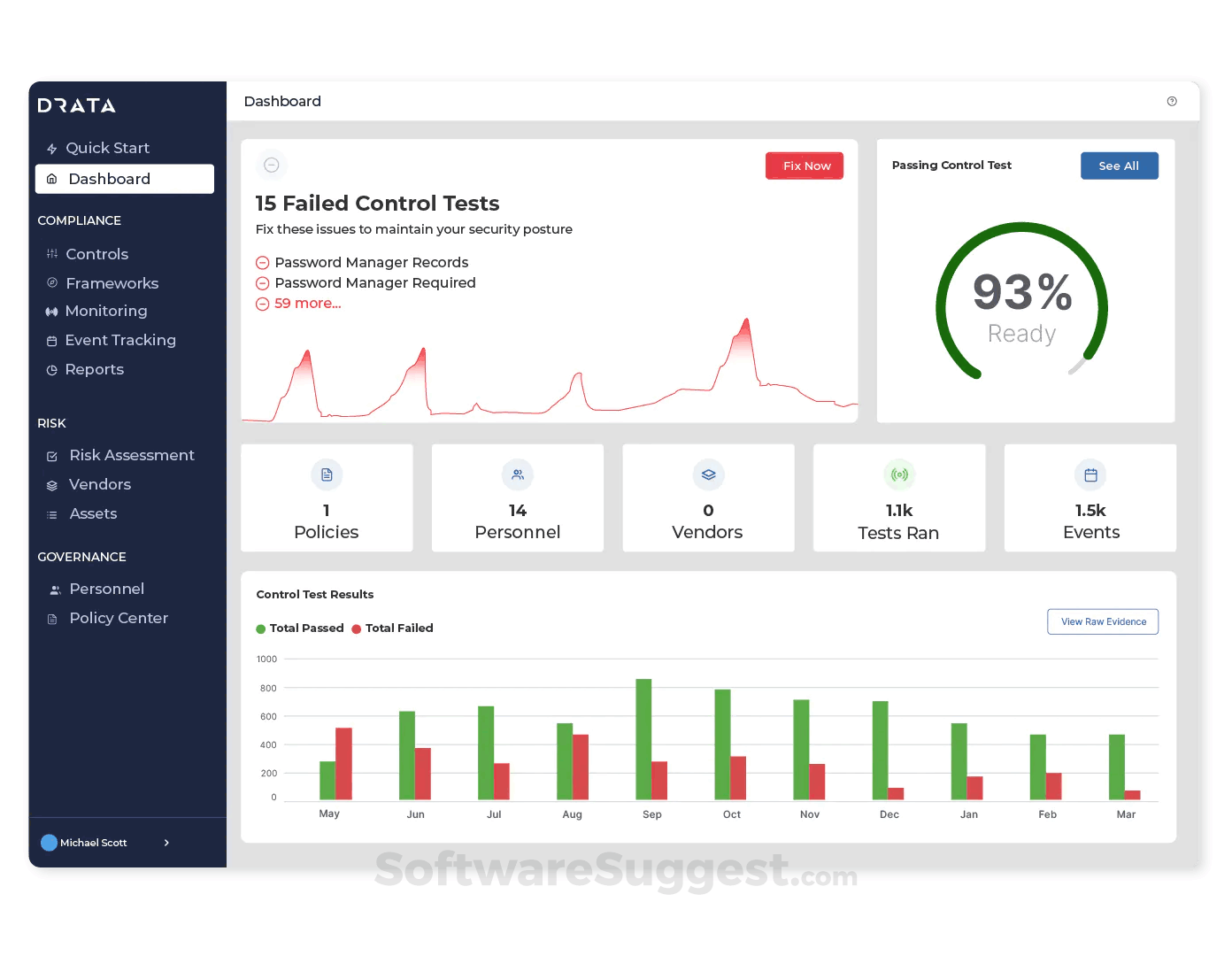
Drata was founded in 2021 and took off like a rocket strapped to a SOC 2 report. Armed with more than $200 million in VC funding, including a $100M Series C round in 2023, it’s built for fast-scaling startups, high-growth enterprises, and anyone else with security requirements more complicated than a DevOps engineer’s beard care routine.
With over 7,000 customers (including Notion, Fivetran, and Lemonade), Drata offers:
A sleek, enterprise-polished UI
Support for SOC 2, ISO 27001, HIPAA, GDPR, PCI DSS, and more
100s of integrations, including AWS, GitHub, Azure, Okta, and your kitchen sink
Drata wants to be your go-to tool for everything: compliance automation, risk management, continuous monitoring, vendor risk, and, we assume, eventually a smartwatch app.
But Drata’s strength is also its complexity. It’s powerful, but that power comes with a learning curve, higher price tags, and a tendency to assume you have a security team, or at least a full-time compliance lead.
Sprinto: The Automation-First, Dev-Approved Underdog
If Drata is the Salesforce of compliance tools, Sprinto is the Notion-meets-Zapier version. Launched in 2020, Sprinto was designed for lean, engineering-led teams who don’t want dashboards, reminders, or hand-holding’ they just want to be audit-ready, now.
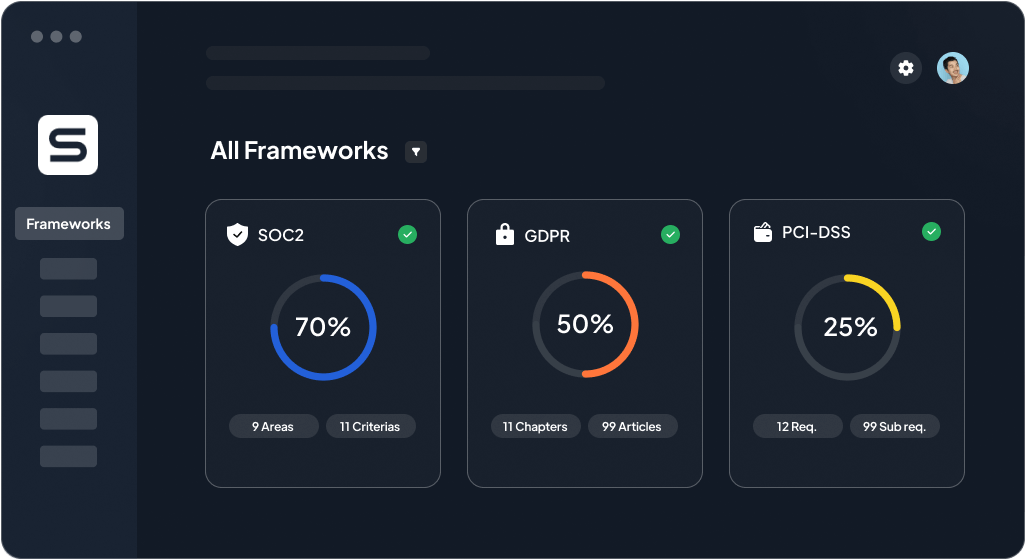
Sprinto supports over 20 frameworks, including all the big ones (SOC 2, ISO 27001, HIPAA, GDPR, PCI DSS) plus CCPA, NIST, and CMMC 2.0. Plus, thanks to a feature called Magic Mapping, Sprinto reuses your controls across multiple frameworks automatically, that’s a huge win for teams chasing multiple certifications.
Other things Sprinto nails:
Real-time compliance monitoring
Automated evidence collection from 200+ integrations
Transparent pricing (starts around $6,000/year)
Where Drata feels like a security team in a dashboard, Sprinto feels like an invisible compliance engine humming quietly in the background, letting your product and engineering teams get back to doing whatever they need to do.
However, Sprinto isn’t as flashy. It doesn’t have Drata’s market presence in the U.S. yet, and it’s more utilitarian in design. It’s the platform you use because you want to do compliance well, not talk about it at investor meetings.
Drata vs Sprinto: The Quick Comparison Table
Sometimes, words are great. Other times, you just want a clean table that tells you who wins the punch-for-punch matchup. So we made you one.
Supported Frameworks: The Alphabet Soup of Compliance
Let’s be real for a second: compliance frameworks are like gym memberships. Everyone signs up for them, but no one wants to actually manage five at once.
Yet that’s the reality for most SaaS and fintech teams today. You’re not just going after SOC 2 anymore, you’re chasing ISO 27001, HIPAA, GDPR, PCI DSS, CCPA, and maybe even CMMC 2.0. That means your compliance platform needs to juggle acronyms without juggling your sanity.
Drata comes correct with support for most major frameworks: SOC 2, ISO 27001, PCI DSS, HIPAA, GDPR, and they’ll happily throw in custom frameworks too.
That’s one of Drata’s biggest strengths: they’re enterprise-ready from Day One.You also get robust framework templates, automated control libraries, and an ever-growing list of content to keep your security posture camera-ready for auditors, regulators, and the occasional VC partner who knows what NIST actually stands for.
This is where Sprinto starts swinging back. It supports 20+ frameworks out of the box (everything Drata does, plus niche frameworks like CMMC and NIST), and it uses a shockingly smart approach to mapping controls across multiple standards.
For example: enable MFA once, and Sprinto automatically applies that control across every framework that requires it, without you manually tagging it 87 times.
This feature alone can shave dozens of hours off compliance prep for teams running more than one framework. (And spoiler: if you’re not there yet, you probably will be soon.)
Automation & Evidence Collection
Drata does offer real integrations with tools like AWS, Azure, GCP, GitHub, Okta, and dozens more. These integrations pull evidence from your stack, validate certain controls, and update dashboards in real time. But there’s a caveat: a lot of the validation and categorization still falls on you.
If your AWS config suddenly loses a permission setting or your SSO policy changes, Drata will flag it. But resolving that issue and explaining it to your auditor is up to you.
You also might find yourself manually tagging screenshots or digging into tool logs to “prove” compliance for controls that don’t have clear mappings.
Sprinto is built around the idea that the system should do 90% of the heavy lifting, not you.
What does that look like in practice?
Automated evidence collection (from 200+ services)
Real-time control tracking (it tells you if something breaks the moment it breaks)
No-touch validation for common controls (like IAM, MFA, and backups)
Compliance dashboards that don’t just tell you what’s wrong, they tell you why and how to fix it
This is why Sprinto has become a favorite among CTOs and security leads who don’t want to babysit compliance software. According to their team and customer reviews on G2, companies using Sprinto report being able to automate 70–90% of their audit evidence workflows.
UX & Onboarding: First Impressions Matter
Drata’s UI is sleek. It’s modern. It’s got that high-end SaaS polish that makes you feel like it should come with an espresso machine and an overpaid solutions architect. For security and compliance pros who live in dashboards all day, it’s a nice place to hang out.
But once you start poking around, the complexity creeps in.
It’s not that it’s hard to use, it’s that it assumes you already know what you're doing. You’ll find dozens of configurable modules, detailed risk matrices, and piles of framework-specific controls. Which is great if your company has a compliance team.
Sprinto’s UX philosophy seems to be: "Do less, but make it actually useful."
It’s clean, not flashy. The onboarding is guided, with step-by-step workflows that lead you from zero to audit-ready in a structured path. The dashboards are direct and use clear language, no legalese or “GRC thesaurus” required.
Sprinto doesn’t overwhelm you with options you don’t need. Instead, it tailors your experience based on the frameworks you’re targeting and the systems in your stack. But, while Sprinto’s interface is straightforward for dev-led teams, it’s less intuitive for operations, legal, or GRC folks unfamiliar with technical systems. Non-technical users may still rely on engineering support for control interpretation and setup
Real-Time Monitoring & Risk Management
Remember the old days of compliance? Where you’d have a once-a-year scramble to find logs, fill out spreadsheets, and try not to cry in the server closet?
Thankfully, those days are mostly gone, unless your compliance tool is just giving you fancy checklists. Real-time monitoring is now the name of the game.
Drata offers a solid real-time compliance tracker. It continuously monitors your controls, sends alerts when something breaks, and shows you compliance status across multiple frameworks. For larger teams, that’s hugely helpful, especially when different departments own different parts of the stack.
The platform also includes a “Trust Center” to help with external vendor transparency and risk posture, which is great if you want to impress clients without showing them your entire Jira backlog.
But when something does go wrong? Drata often leaves remediation up to you. It’ll tell you your encryption config is out of spec, but not necessarily how to fix it.
Sprinto doesn’t just show you what broke, it tells you why, when, and how to fix it.
Its real-time monitoring system is aggressively proactive. You get instant alerts, control failure logs, and automated risk scoring, all tied into your existing systems. You can even assign roles and responsibilities to controls, so your dev lead knows instantly when their S3 bucket goes rogue.
Integrations & API Access: Does It Play Nice With Others?
At this point, choosing a compliance tool isn’t just about what it does, it’s about what it connects to. Your stack probably includes at least half a dozen cloud tools, and unless your compliance software integrates with all of them, you’re back to copy-pasting.
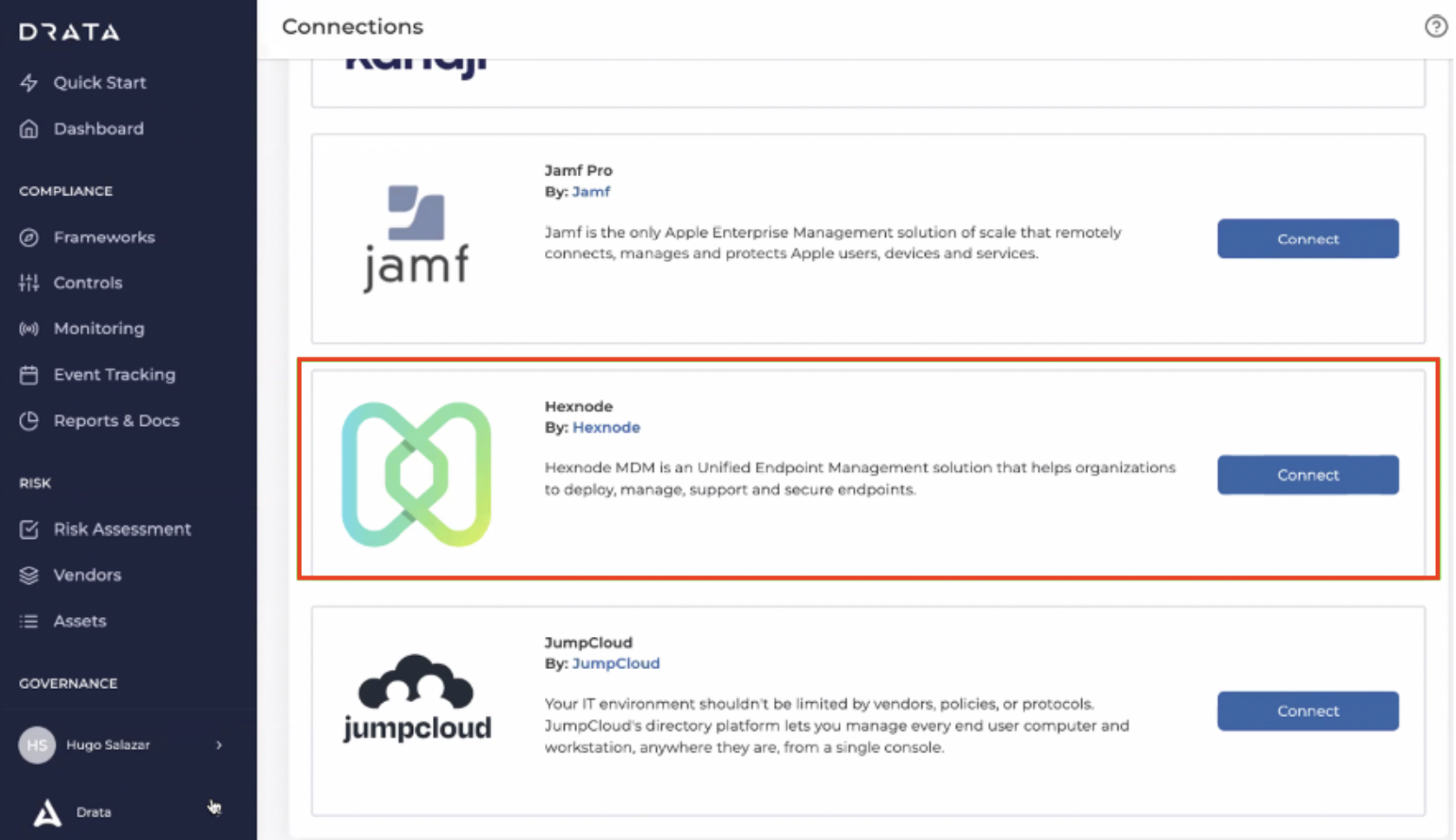
Drata boasts over 300 integrations across cloud infrastructure, identity providers, version control, ticketing, you name it. If it’s in your stack, Drata likely supports it.
From AWS and GitHub to Okta, Azure, Slack, and Datadog, it covers all the usual suspects. You also get some bells and whistles around vendor management and risk tracking for third-party tools.
Sprinto doesn’t aim for quantity, it aims for quality and speed.
With 200+ integrations, it covers nearly all critical systems (AWS, GCP, GitHub, Jira, Okta, Notion, Slack, etc.), and its “one-tap” integration flow is one of the most commonly praised features by users on G2 and Capterra. It connects fast, fetches evidence automatically, and actually maps it to your controls in a way that makes sense.
Where Sprinto really shines is API flexibility: it’s built with developers in mind. You can customize the integration behavior if needed, and the system rarely breaks during audits.
Pricing: Transparent or Time to “Contact Sales”?
Why is it that every compliance platform promises to “streamline your audit,” but can’t seem to streamline their own pricing page?
Let’s decode what you’re really looking at when it comes to Drata vs Sprinto.
Drata’s pricing is a little “mysterious.” There are no numbers on the website. Instead, you’ll find the ominous “Contact Sales” button, followed by a friendly-but-firm account executive promising to “understand your needs.” Pricing varies wildly based on team size, frameworks, and negotiation skills. But based on industry reports, reviews, and anecdotal war stories, here’s what you’re probably looking at:
Small team (10–25 people): $10,000–$20,000/year
Mid-size org (50–100): $20,000–$35,000/year
Larger orgs with multiple frameworks: Upwards of $80,000/year or more
Plus, things like penetration testing, policy packs, onboarding help, and auditor dashboards might cost extra. Sprinto takes a refreshingly simple approach: transparent pricing that scales by framework and company complexity.
Typical ranges:
Single-framework SOC 2 plan: $6,000–$12,000/year
Multi-framework bundle: $15,000–$25,000/year
Add-ons like pen tests or risk assessments? Usually included or optional via partners
Support & Implementation: Who’s Holding Your Hand
Let’s say your IAM control just exploded. Or your CTO wants to know if SOC 2 controls can be backdated (they can’t). Or your audit deadline is in 14 days and Jira just died.
Who’s actually helping you in these moments?
Drata offers support, but how much you get depends heavily on your pricing tier.
For most customers, support includes:
Live chat (during business hours)
Email support
Knowledge base (extensive)
Success managers (on higher tiers)
It works. But it’s not always fast. And unless you’re on a premium plan, you might find yourself waiting for help when you need it most.
Sprinto shines with support services. Their onboarding isn’t just "self-guided with PDFs" — it’s collaborative, human, and actually useful.
Expect:
A dedicated implementation specialist
Live kickoff calls
Weekly check-ins (if needed)
Real-time control monitoring during onboarding
Clear milestone tracking (mapped to your frameworks)
Market Positioning: Which Team Are You On?
Even though Drata and Sprinto offer similar features, they’re built for totally different mindsets. This is where understanding the vibe of each platform really matters.
Drata walks into the room wearing a designer suit and carrying a SOC 2 badge on a gold chain.
It’s perfect for:
Enterprises with formal GRC teams
Security-first orgs that need granular control
Companies that want a powerful, scalable GRC hub
If your org has a VP of Compliance, an in-house auditor, or someone who uses the phrase “cross-framework control gap analysis” in casual conversation, Drata will feel like home.
Sprinto, on the other hand, is built for dev-first teams who just want to ship product, close enterprise deals, and stay compliant without adding bureaucracy.
It’s great for:
SaaS startups scaling fast
Mid-sized B2B companies who need SOC 2 + ISO + GDPR, yesterday
Teams with lean ops and no compliance lead
Sprinto feels less like a GRC suite and more like a silent co-founder that handles your audits. It’s not flashy, but it works, and teams love it because it gets out of the way.
Sprinto is a strong fit for early- to mid-stage SaaS orgs, but questions remain around scalability to enterprise-grade complexity. Teams with layered compliance needs (e.g., multi-subsidiary structures, advanced risk modeling) may find Sprinto too lightweight or rigid.
Pros and Cons Recap
Why Companies Choose EasyAudit Instead
For all the buzz around Drata and Sprinto, more and more high-growth teams are quietly taking a different path, and choosing EasyAudit instead.
Why? Because both Drata and Sprinto, for all their strengths, still come with trade-offs: one is bloated with enterprise features, the other cuts corners on deeper frameworks. EasyAudit sidesteps both extremes, by offering real automation, not just fancy dashboards or checklists in disguise.
1. Built Around AI, Not Bureaucracy
Sprinto may automate evidence collection, and Drata might centralize your controls, but both expect you to be the compliance expert.
EasyAudit flips that model: It includes an AI-powered Compliance Officer that answers questions in plain English, maps frameworks to your tech stack, and suggests fixes before audits blow up your sprint cycles.
2. Zero-Setup, Fast Time-to-Compliance
While Drata’s onboarding can stretch 6–8 weeks and Sprinto’s takes around 4, EasyAudit typically gets teams audit-ready in under 3 weeks, because it:
Auto-generates controls tailored to your existing infrastructure
Instantly maps them across multiple frameworks
Flags gaps in real time
No onboarding marathon. No spreadsheets titled “SOC2_final_FINAL_v3.xlsx.” Just velocity.
3. Continuous Monitoring Without Babysitting
Sprinto shines in real-time alerts, but still needs humans to act. Drata flags misconfigurations but won’t walk you through fixes.
EasyAudit watches your environment and explains what broke, and how to fix it, right inside the app. It’s like having a CISO with Slack-level responsiveness.
4. Actually Adapts to Your Stack
Drata assumes enterprise polish. Sprinto assumes devs love checklists. Neither truly adapts.
EasyAudit detects your architecture (cloud providers, IDPs, ticketing tools) and then configures controls to match. You don’t mold your org to the software. The software molds to you.
5. No “Contact Sales” Headaches
Drata: Quote-based, hidden tiers, and add-ons that feel like a second mortgage
Sprinto: Transparent-ish, but pricing jumps with frameworks
EasyAudit: Flat-rate. No upsells. No surprises.
Whether you’re chasing SOC 2, ISO, HIPAA, or multiple frameworks, you’ll know exactly what you’re paying, and exactly what you’re getting.
Final Verdict: Who Wins the Audit Wars?
If you’re a company with a full-blown compliance team, deep integration needs, and a desire to showcase your risk posture in glossy investor decks, then Drata might seem like the natural choice. It offers the enterprise polish, the brand recognition, and the dashboard-heavy experience suited to companies with GRC specialists already in place.
On the other hand, if you’re a lean SaaS team trying to scale quickly, close deals, and avoid drowning in 6-month onboarding timelines, Sprinto has clear appeal. It promises real automation, a faster path to audit readiness, and a dev-friendly setup that doesn’t require compliance consultants on speed dial.
But if neither of those sounds quite right; if you're looking for something smarter, simpler, and actually built for how modern teams work, then it may be time to consider a third option.
EasyAudit was built from the ground up to do what the others only claim: remove the complexity, eliminate the guesswork, and automate compliance from end to end with AI. No dashboards to babysit. No overpriced onboarding packages. Just a tool that gets you compliant, and keeps you that way, without slowing your team down.
Ready to upgrade? Get a demo today.
FAQs
Which is better for SOC 2: Drata or Sprinto?
Honestly? Both get the job done. Drata is great if you’ve got a GRC team and want bells, whistles, and 16 dashboards. Sprinto wins if you want fewer steps, less manual work, and a quicker route to that glorious SOC 2 badge of honor.
Can I migrate from Drata to Sprinto (or vice versa)?
Technically, yes. Practically, it’s difficult.
Expect to:
Re-map your controls
Reconnect your integrations
Potentially redo your audit evidence collection
That said, both platforms offer support for migration, just don’t expect it to be a drag-and-drop situation. Bring snacks and a compliance specialist.
What if I don’t want to live in a dashboard at all?
Ah yes, the dream. Minimal dashboards. No status-check spreadsheets. Compliance that just handles itself. There are newer tools going in that direction. Some, like EasyAudit, are leaning into AI to map controls, track risks, and nudge you only when it really matters.
So if Drata and Sprinto still feel too “platform-y,” you might want to start looking at the AI-native tools that do the work, without needing a 2-week onboarding.